In this release · 12
Version 2026.4.1 makes everyday food logging easier, with new ways to reuse your favorite meals, adjust nutrition, and keep track of what you eat. We've also made improvements to cooking, fridge recipes, and the voice chatbot.
Log your favorites again
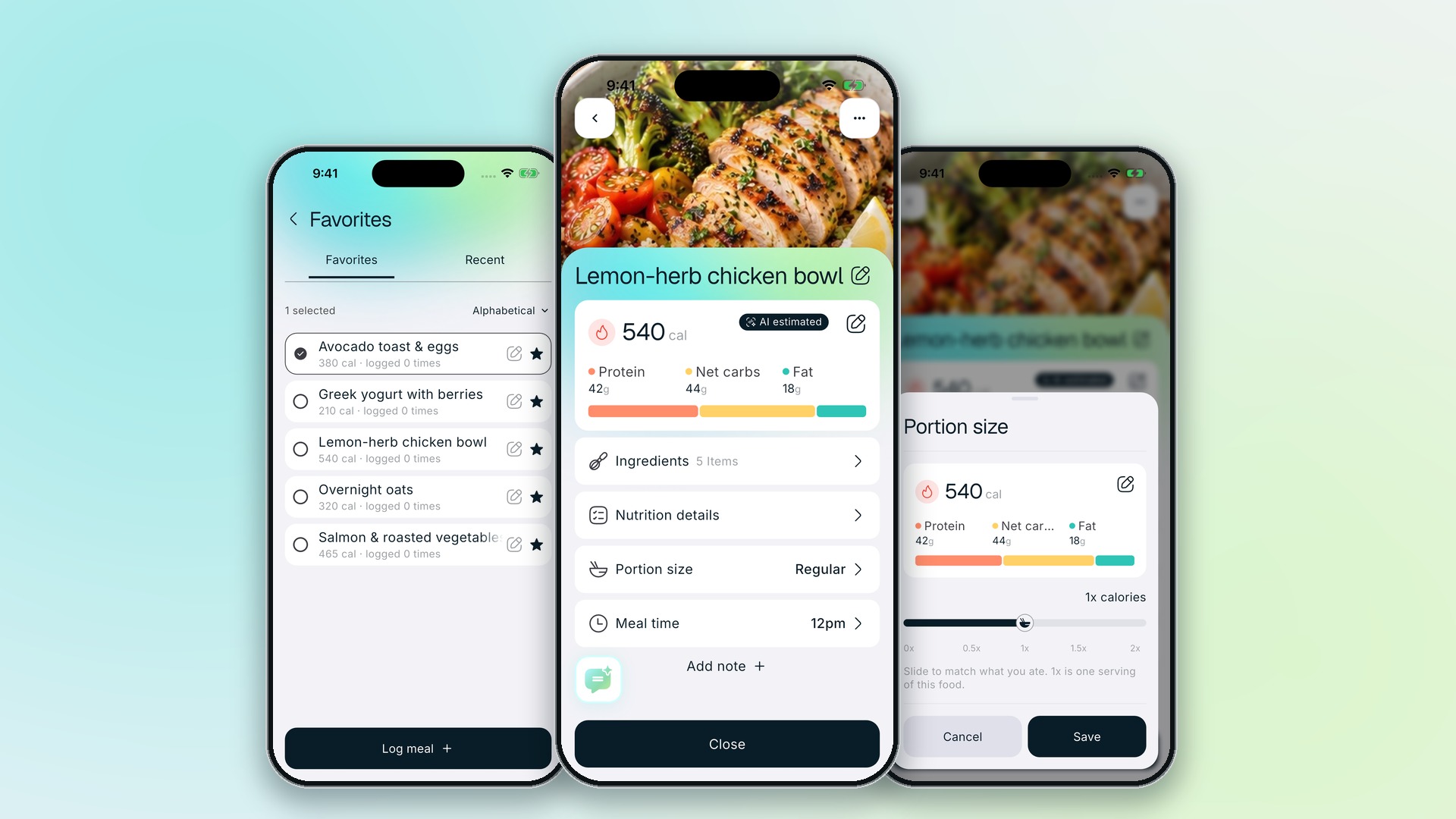
Save foods and whole meals as favorites, then find them alongside your recent foods when it's time to log again. Select several and review them before logging. Less typing for the things you eat regularly!
Your nutrition, your numbers
Know the values from the package or your own recipe? You can now edit calories, protein, carbs, and fat on logged meals and favorites. Your numbers stay in place, with Reset available to return to the calculated values.
Portions that fit what you ate
The new portion slider updates calories and macros as you move it. Choose half a portion, one and a half, or an amount in between, and see the difference before saving.
An easier way to log packaged foods
The dedicated Scan from barcode option lets you use your camera or a barcode photo from your gallery. In text and voice chat, named packaged foods can now be matched to their product nutrition, with choices when several products fit.
See your macros in grams or percentages
Switch between grams and percentages on My dashboard, with grams shown by default. Nutrition goals and diet presets now show both, making your daily targets easier to understand. We've also refined the diet presets.
Make more of what's in your fridge
Return to your recent fridge and pantry results from a Home card, without taking another photo. When browsing those recipe ideas, see which ingredients you already have and which you'll need, including matches from your cookbooks and custom recipes.
A more reliable voice pause
“Pause listening” now gives a short confirmation sound and keeps the chatbot paused more reliably. Resume stays visible, and you can carry on typing while voice is paused.
Smoother cooking
We've fixed cooking-step ingredient lists that could disappear after loading, so you can keep the ingredients you need in view as you cook.
Meal plans that use your calorie target
Meal planning now uses your saved calorie target. We've also improved the reliability of adding recipes to your plan.
Clear notifications in one go
Clear all removes old notifications while keeping invitations you still need to accept or decline.
More reliable photo imports
Interrupted recipe photo imports can now recover after locking your phone or restarting the app, with improved retry handling.
Bug fixes & performance improvements
Smoother dashboard date scrolling, more consistent ingredient measurements, clearer nutrition displays, and fixes to keep meal nutrition intact when editing.
We hope you enjoy!