In this release · 13
Version 2026.4.2 is live! This release makes food logging faster and friendlier. It also adds a new navigation bar and smarter search throughout the app.
Swipe through your food log
Swipe left or right to move between days in your food log. The page follows your finger, so checking yesterday is as quick as a flick.
A picture for every meal
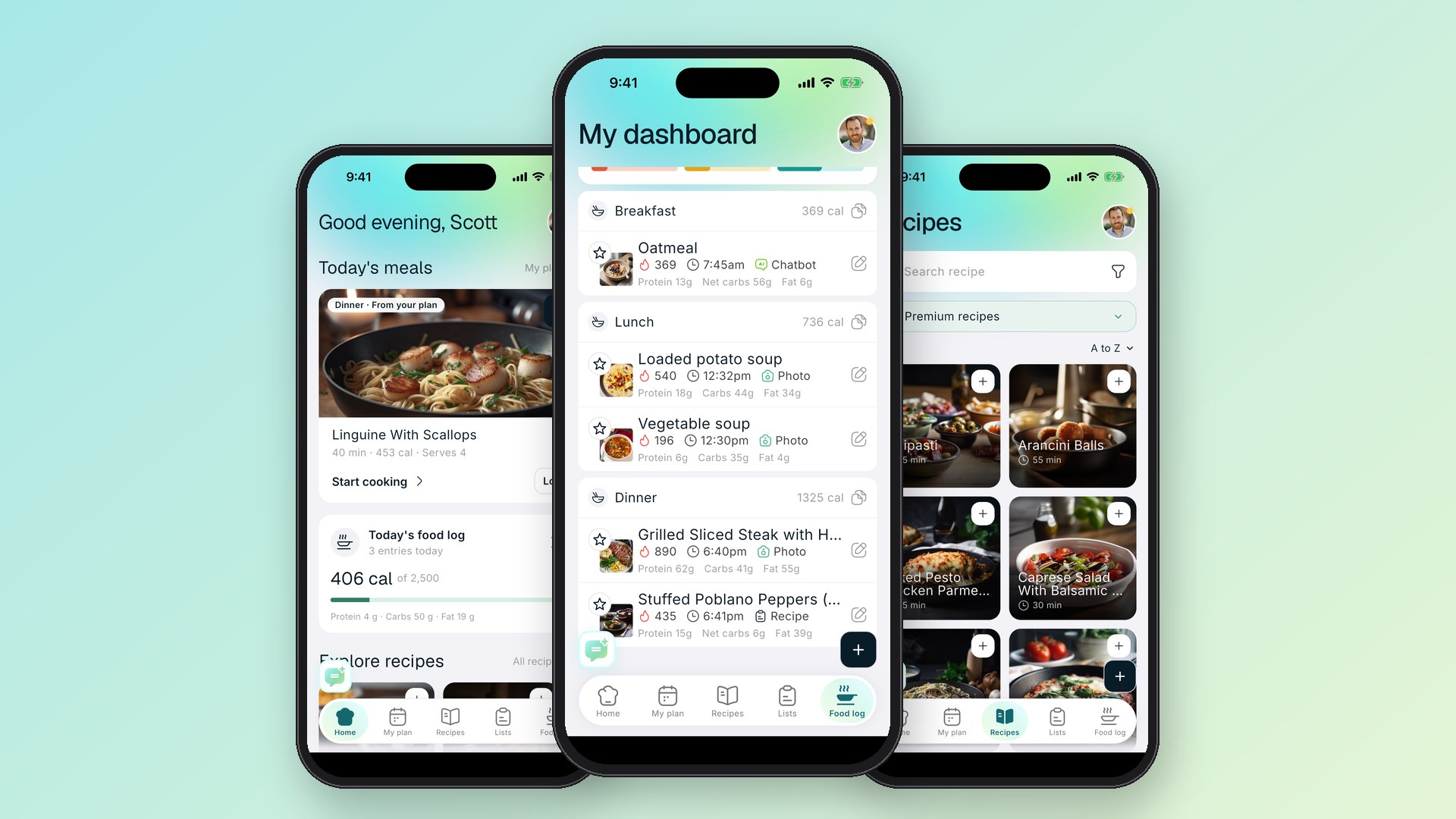
Every food log entry now has a picture. When a food doesn't come with one, we create one for you. Tap any food log picture to zoom in, and Favorites and Recents now show pictures in cleaner, easier-to-scan cards.
See what the chatbot just logged
When the chatbot logs a meal for you, the food log scrolls straight to it and highlights it, so you can see exactly what was added.
Snap a package, we read the label
Take a photo of a packaged food and we read its barcode and the serving size printed on the package, for more accurate numbers with less typing.
Quicker logging, start to finish
Logging a single item is now a simple Cancel or Log. Ask the chatbot to copy a meal you already logged to another day, and start logging right from the meal headers on your dashboard.
Nutrition that's personal
Nutrition Facts now measure against the goals you've saved, and the chatbot knows your goals too. Nutrition Details percentages follow the official FDA daily values and include net carbs.
Know where your numbers come from
Every nutrition screen now tells you where its numbers come from. Recipe nutrition totals also stay in place when a few ingredient lines can't be read.
Faster search for lists and recipes
Shopping lists have a new search that covers food and household items, with one-tap add and chips for the things you buy often. The same ingredient search works in recipe filters and the food log, and it fits small phones even with the keyboard open.
A Recently viewed cookbook
Find the recipes you looked at recently in their own cookbook, with new sorting options. The app remembers which cookbook you last opened, even after a restart.
Home and recipe refinements
Home ideas mix more cuisines and diets, with complete diet labels on every recipe. Recipe cards are shorter and easier to scan, and missing recipe images are fixed. Pull down to refresh your Fridge and Pantry recipes, and imported recipes appear on Home and Recipes right away.
Voice chat improvements
Pausing a voice chat now works reliably, and Kitchen Copilot finishes its reply instead of cutting it off.
Bug fixes & performance improvements
Fixed a crash when opening Kitchen Copilot on iOS 27.
Photo imports interrupted by a locked phone or a restart now pick up where they left off. Shopping-list items keep their saved units when you edit them, the grey screen on My Plan day details is gone, and there are dozens of other refinements throughout the app.
We hope you enjoy!