In this release · 12
Version 2026.4.0 is live! This is our biggest update since the redesign. The focus was on tracking what you eat, a whole new Home screen and a much smarter cooking mode, along with hundreds of other improvements.
Food logging
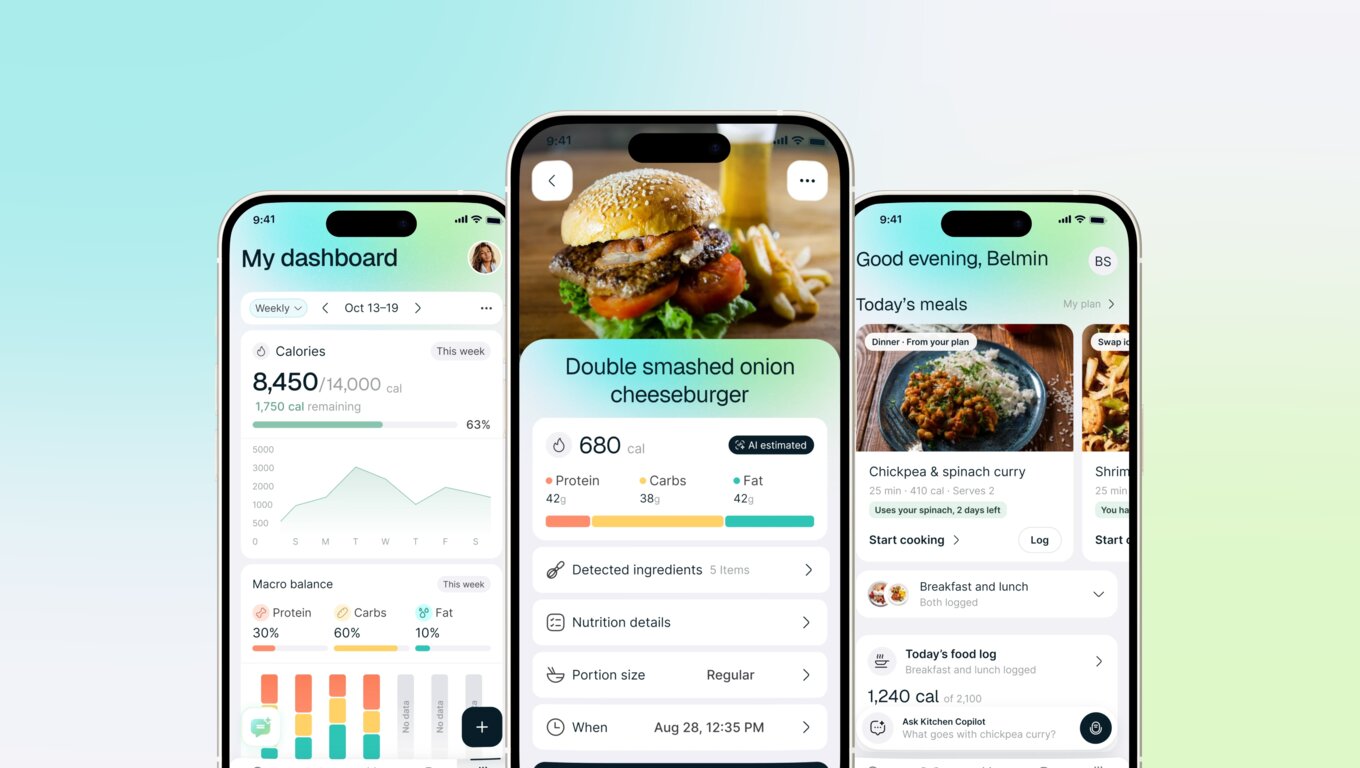
Keep track of what you eat without the hassle. Snap a photo of your plate, scan a barcode, log a recipe right from the last step of cooking mode, or just tell the chatbot what you had. You'll see calories, protein, carbs (including net carbs), fat, vitamins and minerals for every meal. Made a mistake? Ask the assistant to fix the logged meal for you. Photo and chatbot logging are part of Pro.
A brand-new Home
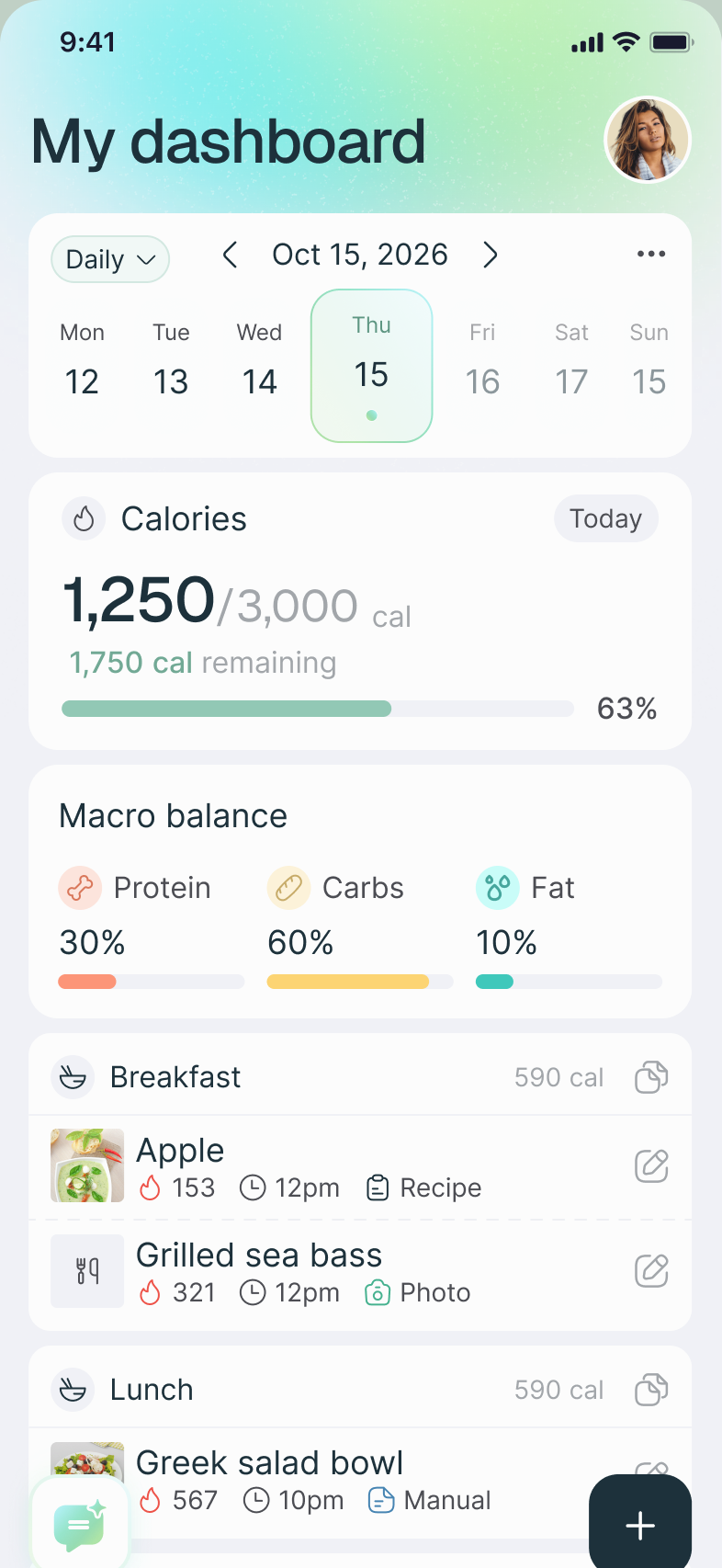
Home is now your kitchen's starting point, and it replaces the Community tab. Each day it shows you fresh recipe picks, today's planned meals, handy “Good to know” tips and gentle reminders when there's something worth doing, like planning the week. There's also an Ask bar, so the chatbot is always one tap away.
A smarter cooking mode
Each step now shows the ingredients you need for that step, right under the instruction. Not sure how to julienne a carrot? Tap the new technique chip for a short how-to video. Cooking mode also remembers your place if you leave, and the chatbot now shows you the step it's talking about.
Snap a dish
Saw something delicious? Take a photo of the dish and Kitchen Copilot will turn it into a full recipe. Photos with several dishes become separate recipes, and you can pick which cookbook to save them to.
A better chatbot and meal planner
- Ask the chatbot to fill only the empty days in your plan, and it'll leave the meals you already have alone
- Swap a single meal in a draft plan without starting over
- New meal cards in chat, with a confirmation before anything gets deleted
- The chatbot remembers what you recently talked about, so it won't ask you the same thing twice
- Voice conversations are smoother, with clearer progress messages while it works
- You can now select and copy text in the chatbot, recipe details and cooking mode
Smarter shopping lists
When you create a list from your meal plan, ingredients are combined even when recipes use different units. Lists remember which recipes each item came from, and you can see the breakdown. Checking items off is more reliable, even when you're offline.
Plan and organize
- Drag and drop meals to rearrange your plan in My Plan
- Save a recipe to several cookbooks at once, or create a new cookbook right from the picker
- Pick a cookbook when you import a recipe from a link, text or photo
- Cookbook cards now show cooking times
- A single, clear way to leave or delete a shared cookbook
- Edit any step in the manual recipe creator
Friends and sharing
A friend's profile now shows the lists and cookbooks they've shared with you. Recipe notes set to “Friends” now really reach your friends. You can also chat with your dietitian or practice, if they use Kitchen Copilot.
More accurate nutrition
Nutrition facts are more accurate. When an ingredient can't be recognized, we tell you, instead of quietly showing zeros.
Better recipe search
Combined search results are ranked by how well the title matches. The African and Korean cuisine filters work again.
Account and subscriptions
A refreshed sign-up and onboarding, “Manage subscription” that opens straight to your subscription settings, stronger password rules, and a more reliable Google sign-in.
Bug fixes & performance improvements
Hundreds of fixes throughout the app, from faster recipe imports to more reliable notifications, chat and sign-in.
We hope you enjoy!